









💼Introduction
If you’re new to cryptocurrency, one of the very first things you’ll need is a crypto wallet — your digital tool for storing, sending, and receiving crypto assets securely. But with so many options available, setting up your first wallet can seem confusing.
In this guide, we’ll walk you through what crypto wallets are, the types of wallets available, and step-by-step instructions to help you set up one safely and easily — even if you’re just getting started.
🔐 What Is a Crypto Wallet?
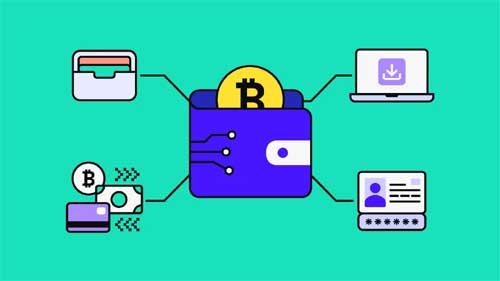
A crypto wallet is a digital storage system that holds the keys (private and public) to your cryptocurrency.
It doesn’t actually store your coins — instead, it gives you access to your crypto on the blockchain.
-
Public Key: Works like your bank account number. It’s used to receive crypto.
-
Private Key: Works like your password. It’s used to access and send your crypto — keep it secret and secure!
Without a wallet, you can’t interact directly with blockchain networks or safely store your digital assets.
🧩 Types of Crypto Wallets
Before setting up your first wallet, it’s important to understand the different types available.
1. Hot Wallets (Online Wallets)
These wallets are connected to the internet, offering convenience and quick access.
-
Examples: MetaMask, Trust Wallet, Coinbase Wallet.
-
Pros: Easy to use, free setup, fast transactions.
-
Cons: More vulnerable to hacks or phishing attacks.
2. Cold Wallets (Offline Wallets)
Cold wallets store your keys offline, offering the highest level of security.
-
Examples: Ledger Nano X, Trezor Model T.
-
Pros: Extremely secure, immune to online attacks.
-
Cons: Costly and less convenient for quick transactions.
3. Custodial Wallets
Provided by exchanges like Binance, Coinbase, or Kraken, these wallets hold your keys for you.
-
Pros: Beginner-friendly, no need to manage private keys.
-
Cons: You rely on a third party for security and access.
⚙️ Step-by-Step: How to Set Up a Crypto Wallet
Let’s walk through setting up a beginner-friendly wallet — we’ll use Trust Wallet as an example, but the process is similar for most mobile wallets.
Step 1: Download the Wallet App
Visit the App Store (iOS) or Google Play Store (Android) and search for “Trust Wallet.”
Tap Download and install it on your device.
Step 2: Create a New Wallet
Open the app and select “Create a New Wallet.”
You’ll be prompted to accept the terms of service and privacy policy.
Step 3: Back Up Your Recovery Phrase
You’ll be shown a 12-word recovery phrase — write it down and store it somewhere safe offline.
This phrase is the only way to recover your wallet if you lose access to your device.
🚫 Never share it online or take screenshots.
Step 4: Confirm Your Backup
The app will ask you to re-enter your recovery phrase to verify that you’ve backed it up correctly.
Step 5: Add Cryptocurrencies
Once set up, you can select which cryptocurrencies you want to hold — for example, BTC, ETH, or BNB.
Step 6: Receive and Send Crypto
-
To receive crypto, tap on a coin and copy your public wallet address.
-
To send crypto, paste the recipient’s address and confirm the transaction.
Congratulations! 🎉 You’ve just set up your first crypto wallet.
🔒 Security Tips for Wallet Users
-
Never share your private key or seed phrase.
-
Use two-factor authentication (2FA) where available.
-
Avoid public Wi-Fi when accessing your wallet.
-
Keep your software up to date.
-
Consider a hardware wallet for large holdings.
By following these steps, you can significantly reduce your risk of loss or hacking attempts.
💡 Bonus: Multi-Chain Wallets
Some wallets now support multiple blockchains, letting you hold tokens from Ethereum, BNB Chain, Polygon, and more — all in one place.
Examples include:
-
MetaMask (multi-chain with custom networks)
-
Trust Wallet (built-in multi-network support)
These wallets are ideal for users who want flexibility across ecosystems.
🧭 Final Thoughts
Setting up a crypto wallet is the first step toward financial independence in the world of digital assets.
Whether you choose a mobile wallet for convenience or a hardware wallet for maximum security, make sure to understand how it works and keep your recovery phrase safe.
Your wallet is your gateway to decentralized finance (DeFi), NFTs, and the broader blockchain economy — protect it like you would your bank account.